#!/usr/bin/php
<?php
error_reporting(E_ERROR);

$toUser = $argv[1];
$sendMessage = $argv[2];

$ID = "";
$SECRET = "";
$Url = "https://qyapi.weixin.qq.com/cgi-bin/gettoken?corpid=$ID&corpsecret=$SECRET";

$access = curl_post($Url);
$access_token = json_decode($access, true);
$ACCESS_TOKEN = $access_token["access_token"];

$requestUrl = "https://qyapi.weixin.qq.com/cgi-bin/message/send?access_token=$ACCESS_TOKEN";
$requestString = json_encode(["touser"=>$toUser, "msgtype"=>"text", "agentid"=>1000002, "text"=>["content"=>$sendMessage], "safe"=>0], JSON_UNESCAPED_UNICODE);

$responsMsg = curl_post($requestUrl, $requestString);
echo var_dump($responsMsg);


/**
* curl post
* @param String $url
* @param array $param    array('name'=>123)
*/
function curl_post($url, $array) {
    $ch = curl_init();
    if(stripos($url, "https://") !== false) {
        curl_setopt($ch, CURLOPT_SSL_VERIFYPEER, false);
        curl_setopt($ch, CURLOPT_SSL_VERIFYHOST, false);
    }
    curl_setopt($ch, CURLOPT_URL, $url);
    curl_setopt($ch, CURLOPT_RETURNTRANSFER, 1 );
    curl_setopt($ch, CURLOPT_POST, true);
    curl_setopt($ch, CURLOPT_POSTFIELDS, $array);
    $content = curl_exec($ch);
    $status = curl_getinfo($ch);
    curl_close($ch);
    if(intval($status["http_code"]) == 200) {
        return $content;
    } else {
        return false;
    }
}
设置步骤:
添加媒介
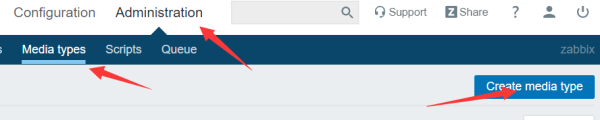
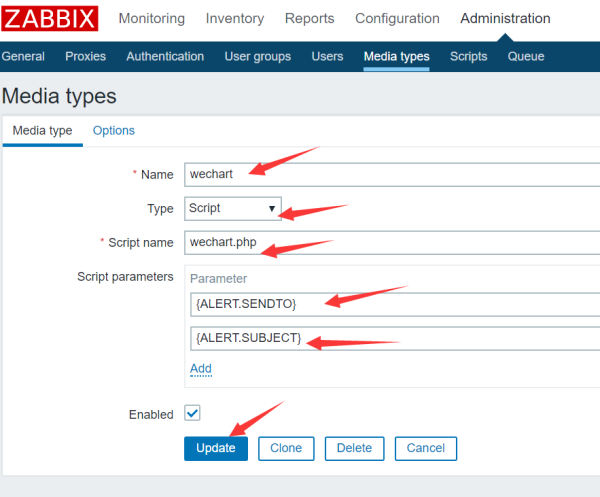
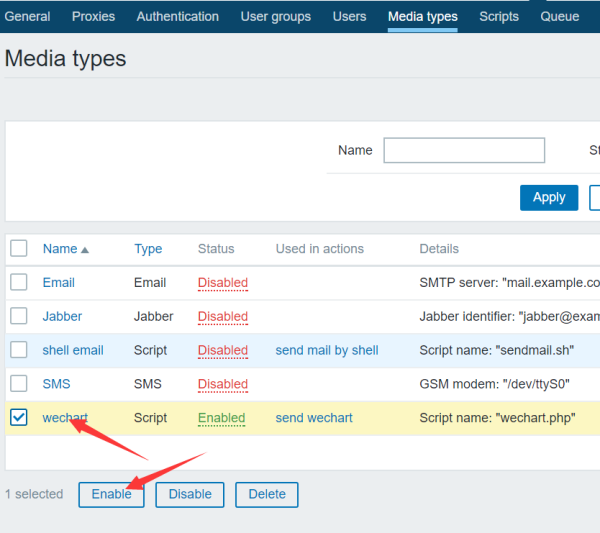
添加Actions
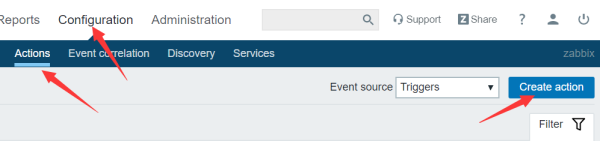
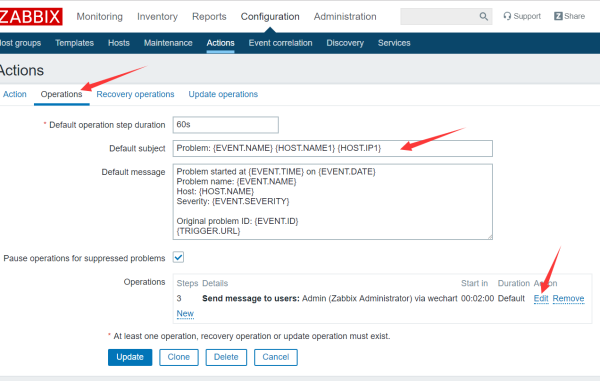
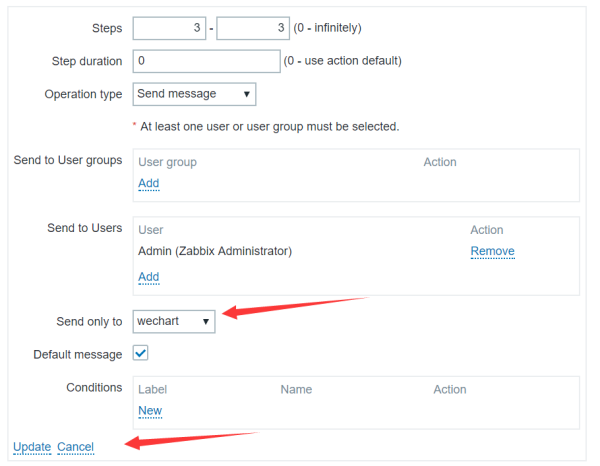
给指定的用户发消息
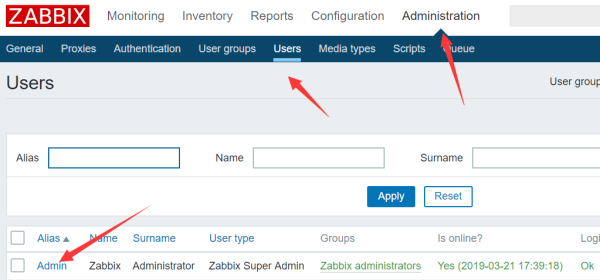
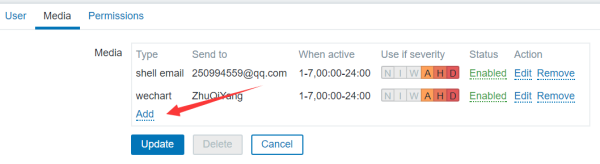
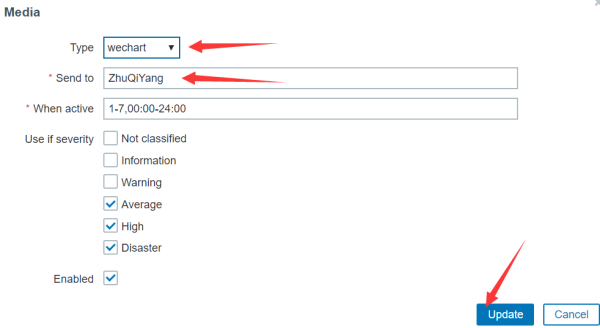
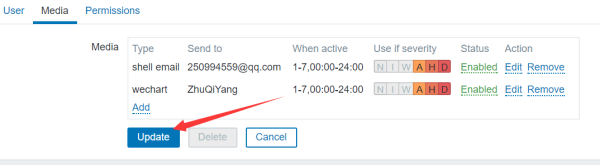
然后就可以给微信发消息了
发送邮件
安装sendemail:
yum install sendemail -y
脚本:
#!/bin/bash

export USER=$1
export TITLE=$2
export CONTENT=$3

#-o message-content-type=html \

sendEmail \
-o message-charset=utf8 \
-o tls=yes \
-f "xxxxxx@163.com" \
-s "smtp.163.com" \
-xu "xxxxxx@163.com" \
-xp "密码" \
-t "${USER:-"xxxxxx@qq.com"}" \
-u ${TITLE:-"Title"} \
-m ${CONTENT:-"This is zabbix ..."}